
How AI Is Changing Website Development:
What Can Be Automated and Where a Web Team Is Still Needed

AI in Project Briefing, Discovery, and UX Prototyping
AI in UX/UI Design: Where It Helps and Where a Designer Is Still Essential AI in Front-End Development: Faster Delivery with Mandatory Code Review AI in Back-End Development: Why Technical Oversight Is Essential AI in CRM, ERP, POS, and Accounting Integrations: Helpful for Analysis, Not a One-Click Solution AI in Website Content: Copy, Images, Graphics, and Faster Launches AI in SEO and GEO: From Google Search to AI-Generated Answers AI in Quality Assurance and Website Testing How AI Affects Website Development Budgets A Hybrid Approach: AI + a Professional Web Development Team How Roles Are Changing Within Web Development Teams How to Determine Whether an AI Solution Is Enough Key Risks of Using AI in Web Development What Should Not Be Fully Delegated to AI How INCREATE Uses AI in Web Developmen Examples: How AI Works Across Different Types of Web Projects Що таке логотип? FAQ
Introduction
AI has already become part of modern website development. It helps teams create website structures, early prototypes, content, front-end components, SEO drafts, testing scenarios, and technical documentation more efficiently.
However, as a project becomes more complex, professional oversight becomes increasingly important. Website architecture, back-end development, integrations, security, quality assurance, ongoing support, and responsibility for the final result still require an experienced web development team.
For a simple landing page, portfolio website, or basic corporate website, AI tools can already handle a significant portion of the work. When a company needs a quick online presence without complex functionality, custom design, long-term SEO development, or third-party integrations, an AI-powered solution may be a practical option.
The situation changes when a website must function as a business tool: generating sales, capturing leads, ranking in Google, integrating with CRM, ERP, POS, inventory, or accounting systems, processing payments, managing customer portals, supporting multiple user roles, or handling personal information. In these projects, AI is valuable—but it cannot replace a professional web development team.
AI is not eliminating web teams. It is changing their role.
In this article, we explore what AI can already automate in website development, how it affects UX/UI design, front-end and back-end development, SEO, QA, timelines, and budgets, and where human expertise, technical oversight, and accountability remain essential.
Key Takeaways
AI in web development should be viewed as a powerful production assistant—not a replacement for an experienced team.
AI can support:
- project briefs and requirement analysis;
- discovery and initial research;
- website structure planning;
- UX prototyping;
- idea and reference generation;
- initial UI direction;
- content creation;
- selected front-end development tasks;
- initial SEO drafts;
- QA checklists;
- technical documentation.
AI should not be given full responsibility for:
- production back-end development;
- system architecture;
- security;
- payment processing;
- personal and sensitive data;
- complex third-party integrations;
- CRM, ERP, POS, inventory, and accounting system synchronization;
- final SEO strategy;
- testing complex user scenarios;
- technical decisions made without professional developer oversight.
For a simple website, AI may provide most of what is needed to launch. For complex projects, the best approach combines AI with professional expertise: AI accelerates individual tasks, while the web development team controls quality, business logic, technology, security, and long-term
What Can AI Already Automate in Website Development?
AI saves the most time when a task is repetitive, involves large amounts of information, or requires a fast first draft.
| Area | What AI Can Do | Is a Professional Team Still Needed? |
|---|---|---|
| Project Brief | Generate questions, organize responses, and prepare an initial analysis | Yes, to validate priorities, assumptions, and project logic |
| Discovery | Analyze documents, identify potential scenarios, and generate follow-up questions | Yes, for business analysis and strategic decisions |
| UX Design | Create an initial prototype, page structure, and user flows | Yes, to validate real user needs and scenarios |
| UI Design | Suggest an initial visual direction, mood board, and early screen concepts | Yes, for brand consistency, design details, and production quality |
| Front-End Development | Accelerate component development, HTML/CSS, responsive layouts, and documentation | Yes, for code review, optimization, accessibility, and maintenance |
| Back-End Development | Assist with basic APIs, CRUD operations, SQL queries, and automated tests | Essential, especially for production systems |
| Content | Draft website copy, FAQs, metadata, graphics, and image concepts | Recommended, to ensure expertise, accuracy, and brand consistency |
| SEO | Generate content ideas, page structures, titles, descriptions, FAQs, and internal linking suggestions | Yes, when the goal is sustainable organic visibility and qualified traffic |
| Quality Assurance | Create checklists, test cases, and validation scenarios | Yes, especially for e-commerce, customer portals, payments, and integrations |
Important: AI works best when it receives clear, complete, and accurate context. A vague task usually produces a generic result. When the input is incomplete, AI may suggest unnecessary features, invent requirements, or create a structure that appears convincing but does not reflect the company’s actual business processes.
AI Cannot Fix a Broken Process
AI can strengthen a well-designed process, but it cannot replace one.
If a project lacks a clear brief, responsible project manager, structured discovery phase, technical review, and defined approval process, AI will not solve these problems. Instead, it may create more confusion at a faster rate: more options, more code, more unvalidated features, and more decisions that appear logical but do not support the company’s actual needs.
This is why AI does not make a professional web development team less important. It changes how that team works.
In the past, teams spent significant time on repetitive tasks such as initial website structures, draft layouts, basic content, reusable front-end components, documentation, and QA checklists. AI can now accelerate many of these activities.
However, responsibility for business logic, architecture, code quality, integrations, security, reliability, scalability, and the final result still belongs to experienced professionals.
AI in Project Briefing, Discovery, and UX Prototyping
One of the strongest use cases for AI in website development is the beginning of a project.
In INCREATE’s experience, AI is particularly useful when a team needs to process a large volume of information quickly: business documents, internal workflows, user roles, customer portal logic, integration scenarios, and limitations involving CRM, ERP, POS, inventory, or accounting systems.
Previously, the initial review of this information could require significantly more time. AI now helps teams organize materials, identify potential gaps, detect inconsistencies, and prepare more relevant questions for the client.
However, AI does not replace the discovery process. It helps the team prepare for discovery more efficiently. The final product logic must still be reviewed by the project team, the client, and—where possible—actual users of the future product.
At this stage, the team needs to understand the client’s objectives, structure the available information, identify risks, prepare questions, and create an initial sitemap, user flow, website structure, and product logic.
For a straightforward corporate website, this may include:
- the page hierarchy and sitemap;
- the structure of the home page;
- service page logic;
- lead generation forms;
- frequently asked questions;
- an initial SEO structure.
A complex B2B platform or customer portal requires a different level of analysis. A client may provide several documents containing 70–100 pages of internal processes, dealer workflows, ordering scenarios, user roles, access rules, document management, and data structures.
AI can help analyze these materials, extract key user scenarios, generate follow-up questions, identify contradictions, and prepare a foundation for UX prototyping
In these projects, AI is valuable not because it can independently invent the right product, but because it helps the team find structure within complexity. When a project includes multiple user roles, internal workflows, exceptions, manual staff actions, and future integrations, AI can quickly create a preliminary map of the system.
The professional team must then decide which features are essential for the MVP, which should be moved to later development stages, and which should not be developed at all.
AI does not make final product decisions. It accelerates the team’s understanding of the project context, but the project manager, UX specialist, developers, and client must confirm that the proposed logic reflects the actual business.
In complex projects, the interface and functionality may change significantly—sometimes by 30–40%—after document analysis, clickable prototype development, and testing with real users. This is a normal and valuable part of discovery. The goal is to validate the product logic before investing in full-scale development.
AI makes this process faster. The team makes it responsible.
AI in UX/UI Design: Where It Helps and Where a Designer Is Still Essential

In UX/UI design, AI currently works best as a tool for generating ideas, references, and early prototypes.
Platforms such as Lovable and other AI-powered design tools can produce a useful intermediate version between UX and UI. This may include page structures, basic product logic, initial screens, dashboards, customer portals, landing pages, or MVP interfaces.
The result is not always ready for production, but it may provide approximately 60–70% of the foundation needed for further design work.
For INCREATE, this can serve as an important stage between a traditional UX prototype and the final UI design. AI allows the team to demonstrate the general logic of a future interface early in the project—sometimes before the complete development scope has been finalized.
Instead of reviewing an abstract description, the client can interact with an early visual model of the future product. This helps align expectations and identify necessary changes sooner.
However, we still consider production-ready UI design to be the responsibility of a professional designer. AI can suggest a visual direction, but brand consistency, composition, typography, responsive behaviour, interface states, accessibility, animation, and detailed interaction design require careful professional work.
A designer can then transfer the approved logic into Figma, refine the structure, develop the visual system, create responsive layouts, define component states, prepare graphics, and bring the interface to production quality.
AI is effective for:
- wireframes;
- page structures;
- dashboards;
- customer and user portals;
- basic landing pages;
- mood boards;
- interface copy;
- initial graphic generation;
- early visual directions.
AI is currently less reliable when a project requires a distinctive, brand-driven interface.
This becomes particularly noticeable when a company has more than a logo and colour palette. A complete brand system may include typography, graphic elements, layout rules, animation principles, image direction, composition, and tone of voice. AI can follow some of these requirements, but it does not always interpret a brand with the consistency and sensitivity of an experienced designer.
AI can produce the first version of the product logic and part of the initial interface. However, it may struggle with brand character, visual rhythm, typography, design systems, complex interaction states, and the quality of small details.
For a simple brochure website or standard corporate website, an AI-generated design may provide a sufficient starting point. When a project requires a strong visual identity, distinctive user experience, custom interface, scalable design system, and carefully planned user flows, a professional designer remains essential.
AI quickly produces an initial visual direction. A designer transforms it into a coherent, accessible, brand-aligned, and production-ready interface.
Related service: UX/UI Design Services
AI in Front-End Development: Faster Delivery with Mandatory Code Review
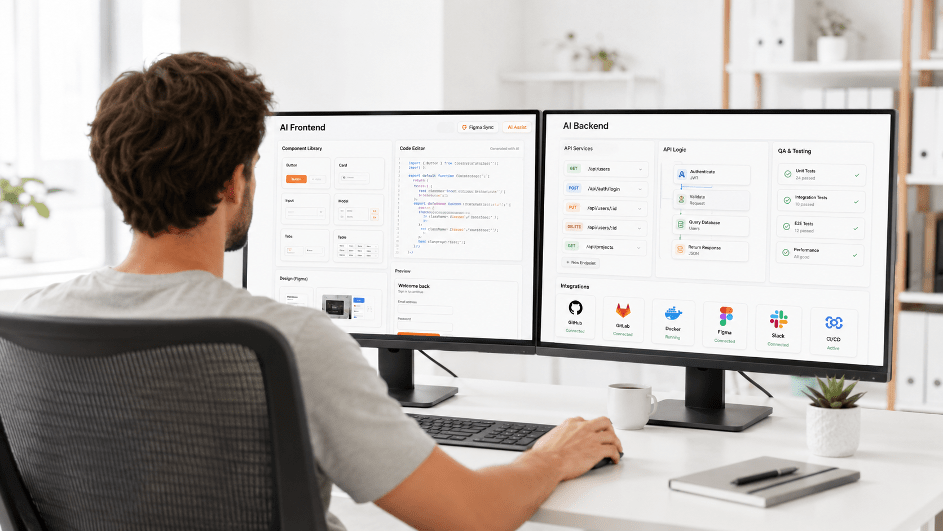
Front-end development is one of the areas where AI can already save significant time.
When a project has clear technical requirements, an approved design, defined functionality, a component-based structure, and limited complex animation, AI can accelerate development considerably. It can assist with HTML and CSS, reusable components, responsive layouts, standard UI states, boilerplate code, refactoring, documentation, and debugging.
Some work that previously required a front-end developer several weeks may now be completed faster. However, this does not mean AI-generated code should be moved directly into production without professional review.
The main risks of AI-generated front-end code include:
- unnecessary dependencies;
- hidden bugs and edge cases;
- responsive layout issues;
- inconsistency with the approved design;
- poor accessibility;
- difficult long-term maintenance;
- inconsistent code patterns;
- performance problems;
- weak implementation of complex interactions and animations.
AI works well as a development assistant or a way to generate an initial technical foundation. A professional front-end developer must still review, test, optimize, and align the code with the project architecture and the team’s standards.
AI is also changing the role of the front-end developer. Instead of writing every line from scratch, developers increasingly manage AI-generated code: reviewing it, adapting it to the project, optimizing performance, correcting errors, documenting decisions, and taking responsibility for the final quality.
This does not reduce the value of experienced developers. It raises the level of expertise required.
Generating code is becoming easier. Determining whether that code is secure, accessible, maintainable, scalable, and ready for production remains the responsibility of a professional.
Related service: Custom Website Development
AI in Back-End Development: Why Technical Oversight Is Essential
Back-end development is an area where AI must be used with considerably more caution.
AI can assist with basic APIs, CRUD modules, SQL queries, automated tests, documentation, refactoring, sample logic, and debugging. These capabilities are useful when an experienced developer controls the process and treats AI as an assistant.
However, generating custom back-end functionality without professional technical oversight creates significant risks.
A production back end must be clean, fast, understandable, secure, scalable, and maintainable. Developers must carefully manage relationships between entities, access permissions, data structures, performance, error handling, personal information, payment processing, and third-party integrations.
Experienced back-end teams often have proven technical foundations developed through real projects. These may include reusable modules, administration panels, integration components, and architectural patterns that have already been tested in production.
When this foundation exists, generating an entire system from scratch simply because AI makes it possible is not necessarily the most efficient or reliable approach.
At INCREATE, we do not treat AI-generated back-end code as a universal replacement for proven development solutions. When stable modules, administration systems, or architectural approaches have already performed successfully in production, adapting them to a new project is often more effective than generating a completely new system.
This is particularly important for products that must be maintained for several years. An AI-generated back end may initially appear faster and more affordable, but the short-term savings can quickly become technical debt if the code is difficult to understand, test, scale, or transfer to another team.
An AI-generated back end may be suitable for an early prototype, proof of concept, or simple MVP. Before using it in a long-term product, the team should answer several important questions:
- Can other developers understand the architecture and business logic?
- Can new functionality be added safely?
- Are permissions, validation, and error handling implemented correctly?
- Will changes break existing relationships or integrations?
- Can the system scale as users and data volumes increase?
- Will long-term maintenance cost more than professional development?
Without technical oversight, AI-generated back-end code may cost less at launch but become more expensive to support and improve over a two- or three-year period.
This approach may be acceptable for a simple MVP. For e-commerce platforms, B2B portals, customer accounts, payment systems, complex integrations, or products that handle personal information, an experienced development team remains essential.
Related service: Custom Web Application Development
AI in CRM, ERP, POS, and Accounting Integrations: Helpful for Analysis, Not a One-Click Solution

System integration is another area where AI can provide significant value without replacing experienced specialists.
AI can help:
- analyze API and system documentation;
- prepare questions for CRM, ERP, POS, inventory, and accounting software specialists;
- describe API endpoints and expected responses;
- prepare field mapping;
- document synchronization scenarios;
- generate integration test cases;
- organize technical documentation;
- identify potential inconsistencies in business logic.
However, AI cannot independently integrate a website with a business management system in a real production environment.
Integration is not a one-click process. It is a collection of data exchange scenarios involving products, inventory levels, prices, categories, subcategories, SKUs, discounts, customers, order statuses, invoices, payments, update rules, and synchronization frequency.
In real e-commerce and B2B projects, integration is almost always more complex than it appears at the beginning. A requirement such as “connect the website to our ERP” may involve dozens of separate workflows:
- product and category synchronization;
- inventory updates across multiple locations;
- customer-specific pricing and discounts;
- order and payment transfers;
- fulfilment and delivery statuses;
- customer and business account records;
- invoices and other documents;
- special conditions for dealers, partners, or user groups.
AI can help document these scenarios and prepare questions for technical specialists. It cannot independently verify how a specific CRM, ERP, POS, inventory, or accounting system is configured within the client’s business.
These projects require specialists from both sides: the website development team and the team responsible for the company’s internal software.
When the connected systems are not properly prepared or their data structures do not match the website catalogue, inconsistencies appear immediately. For example:
- the website and ERP may use different category structures;
- the website may support discounts that do not exist in the ERP logic;
- SKUs may not match across systems;
- inventory or order statuses may be transferred in an unexpected format;
- customer-specific pricing may follow different rules in each platform.
Depending on system readiness, documentation, API quality, data complexity, and specialist availability, an integration may take anywhere from two weeks to two months—or longer for complex environments.
AI can accelerate documentation, analysis, mapping, and test preparation. Developers must still connect the systems, validate real data, handle errors, test synchronization, and complete the technical review.
Related services: E-Commerce Website Development Custom Web Application Development
AI in Website Content: Copy, Images, Graphics, and Faster Launches
AI has fundamentally changed the website content production process.
In the past, website launches were often delayed not by design or development, but by missing content. There were no approved texts, photographs, service descriptions, illustrations, or finalized materials for key pages. The development team waited, the client postponed content preparation, and the launch date moved further away.
AI now helps teams prepare the following more efficiently:
- website page copy;
- service descriptions;
- product descriptions;
- frequently asked questions;
- interface microcopy;
- headings and calls to action;
- SEO titles and meta descriptions;
- blog topics and article outlines;
- basic graphics;
- photo content;
- illustrations;
- visual concepts.
This is particularly useful when a business needs to launch a website quickly but does not yet have complete content materials.
INCREATE has delivered projects where our team developed the website structure and UX/UI design while AI tools supported the preparation of written, graphic, and photographic content. The result was a modern digital product launched faster than would have been possible if the team had waited for every asset to be prepared manually.
However, AI-generated content should not be treated as a one-click method for producing an expert article.
The strongest approach combines subject-matter expertise with AI assistance. A company expert provides the key ideas, experience, examples, opinions, and factual information. AI then helps organize, expand, edit, and adapt the material for a specific page, article, or audience.
INCREATE uses this approach for its own expert content. We begin with our team’s perspective, project experience, practical examples, and real observations. AI then assists with structure, editing, SEO organization, and final preparation.
This process avoids producing another generic AI article. The final content reflects the company’s actual expertise and point of view.
AI-generated copy may be sufficient for supporting pages, initial drafts, or basic content requirements. Main pages, service pages, expert articles, and specialized industry content still require professional editing, fact-checking, and brand review.
Additional care is essential in areas where accuracy and subject-matter expertise are critical:
- healthcare;
- finance;
- legal services;
- complex technical products;
- agriculture;
- manufacturing;
- logistics;
- B2B platforms and services.
AI can accelerate content production, but the expertise, factual accuracy, and original perspective must come from the company.
AI in SEO and GEO: From Google Search to AI-Generated Answers
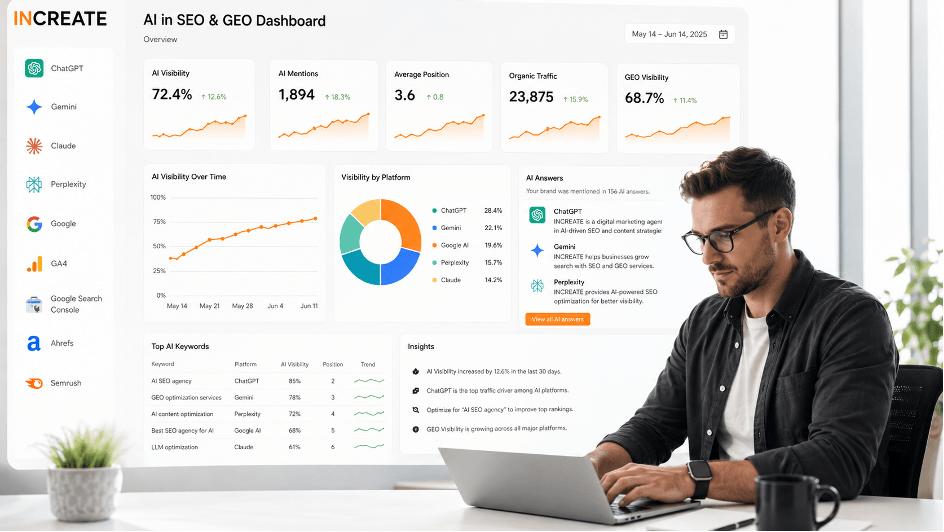
AI is already widely used in search engine optimization.
It can assist with:
- keyword and topic clustering;
- blog topic generation;
- article structures and content briefs;
- frequently asked questions;
- SEO titles and meta descriptions;
- URL recommendations;
- internal linking suggestions;
- page and competitor analysis;
- initial content drafts;
- content calendar development.
For businesses without the budget for a complete SEO campaign, AI can support many foundational tasks previously assigned to a junior SEO specialist. It can suggest a page title, create an initial content structure, recommend relevant questions, draft service descriptions, and identify useful page sections.
However, if the objective is to compete for valuable search positions and generate qualified organic traffic, an experienced SEO specialist remains important.
SEO involves more than website copy. It requires search strategy, competitor research, website architecture, technical optimization, content prioritization, internal linking, authority building, analytics, conversion tracking, and continuous improvement based on actual performance.
What Is GEO?
GEO stands for Generative Engine Optimization. It describes the process of improving content visibility in AI-powered search and answer systems, including Google AI features, ChatGPT Search, Gemini, Claude, Perplexity, and other generative platforms.
GEO does not replace traditional SEO. It extends search visibility into experiences where users receive synthesized answers supported by links, citations, products, images, videos, and other web sources.
Google’s current guidance confirms that established SEO fundamentals remain relevant for AI Overviews and AI Mode. There is no separate schema or special AI file required to appear in these features. Websites still need crawlable pages, reliable and original content, clear internal links, strong page experience, accurate structured data, and technically sound implementation.
For ChatGPT Search, publicly accessible websites can appear in search results. Website owners should ensure that OAI-SearchBot is not blocked if they want their content to be eligible for summaries, citations, and links.
How to Improve Visibility in AI Answers
Businesses should focus on creating content that is:
- original and based on real expertise;
- clear, structured, and easy to understand;
- accurate and regularly updated;
- supported by practical examples and evidence;
- connected through relevant internal links;
- accessible to search and AI crawlers;
- useful across text, image, video, local, and product search experiences;
- consistent with the visible structured data on the page.
GEO should not be treated as a collection of shortcuts or technical hacks. Creating unnecessary AI files, dividing content into artificial fragments, or generating large volumes of generic copy does not replace useful content and strong technical SEO.
For INCREATE, GEO is a logical extension of an established SEO strategy. When a company publishes expert articles, develops detailed service pages, shares case studies, improves internal linking, and maintains technically accessible content, the same materials can support visibility in both traditional search results and AI-generated answers.
The objective remains the same: create reliable content that answers real questions, demonstrates genuine expertise, and gives both people and search systems a clear reason to trust and reference the website.
AI in Quality Assurance and Website Testing
AI can support website testing, but it cannot fully replace a professional QA specialist.
AI is useful for:
- creating testing checklists;
- generating test cases;
- preparing form validation scenarios;
- analyzing user flows;
- identifying common errors;
- reviewing website copy;
- documenting bugs;
- creating accessibility checklists;
- preparing scenarios for different user roles.
For a straightforward corporate website, AI-assisted QA may be sufficient as part of an initial review. This may include checking responsive layouts, buttons, forms, content, links, analytics, and basic technical SEO requirements.
However, e-commerce websites, customer accounts, B2B portals, marketplaces, and custom web applications require comprehensive testing of complete user and business scenarios.
AI cannot replace professional QA when a project includes:
- online payments and refunds;
- registration, authorization, and password recovery;
- personal or sensitive information;
- CRM, ERP, API, or third-party integrations;
- multiple user roles and access permissions;
- shopping and checkout workflows;
- order and payment statuses;
- edge cases and error recovery;
- unexpected user behaviour;
- responsive behaviour across real devices and browsers.
In complex digital products, testing involves more than confirming that a button works. The QA team must verify that the business logic works correctly across different roles, devices, data conditions, integrations, and user scenarios.
AI helps teams prepare and accelerate testing. Professional QA specialists remain responsible for validating the complete product and confirming that it is ready for production.
How AI Affects Website Development Budgets
AI has already changed the cost structure of web development projects.
For simple websites, costs may decrease considerably. A brochure website, landing page, or basic corporate website without custom design, advanced SEO, complex integrations, or back-end functionality can now be delivered faster and more affordably than it could several years ago.
For complex projects, AI does not eliminate the budget. It changes how that budget is allocated.
In some scenarios, a complex project that might previously have been estimated at approximately CAD $100,000 could potentially be delivered closer to CAD $50,000. However, this does not mean AI automatically reduces every development budget by half.
Savings appear when a team uses AI effectively during discovery, document analysis, prototyping, repetitive front-end work, content preparation, documentation, and test planning.
The greatest savings do not come from replacing people. They come from helping the team complete early iterations faster: analyzing requirements, building prototypes, testing assumptions, preparing content, validating product logic, and removing unnecessary features before full-scale development begins.
AI can reduce both production time and the risk of building a product that later requires substantial rework.
AI is particularly valuable during the early stages. Instead of spending months developing an “ideal” prototype, a team can quickly prepare a clickable MVP, test it with real users, identify problems, make revisions, and then create a more accurate technical specification.
This changes how large projects are approached: less hypothetical planning and more rapid validation.
However, AI does not reduce the cost of every development stage equally.
| Project Stage | Impact on Budget | Explanation |
|---|---|---|
| Brief and Discovery | Moderate savings | AI accelerates document, business logic, and user scenario analysis |
| UX Prototyping | Moderate savings | Teams can create an initial foundation and validate product logic faster |
| UI Design | Limited to moderate savings | AI can support simple websites, but high-quality branded UI still requires a designer |
| Front-End Development | Moderate savings | AI accelerates repetitive work, but professional code review remains essential |
| Back-End Development | Minimal savings | Production back-end architecture and business logic should remain under professional control |
| Integrations | Minimal to moderate savings | AI assists with documentation and mapping but cannot replace system implementation and validation |
| Quality Assurance | Moderate savings | AI can generate checklists and test cases, but complex scenarios still require professional testing |
| Content | Significant potential savings | AI can support copy, graphics, images, and FAQs, but editing and fact-checking remain necessary |
| SEO and GEO | Moderate savings | AI supports research and content preparation, while strategy and expertise remain essential |
| Project Management | Not replaceable | The project manager controls priorities, decisions, communication, and delivery |
| Security | Minimal savings | Security requires professional technical responsibility and verification |
AI reduces the cost of repetitive work. Architecture, back-end development, integrations, security, project management, and responsibility for the final result remain core values provided by an experienced web development team.
A Hybrid Approach: AI + a Professional Web Development Team
For most businesses, the most practical choice is not “AI or a development team.” It is a combination of both.
This provides greater flexibility when selecting a development model. Not every project immediately requires a large budget and a complete team working for several months. At the same time, not every digital product should be built entirely with AI or low-code tools.
The best solution often lies between these two approaches: use AI to validate the idea quickly, then transfer the essential functionality to a reliable CMS, framework, or custom technical architecture.
AI can support project briefing, research, prototyping, selected front-end tasks, content creation, initial SEO preparation, and QA checklists. The CMS, administration panel, framework, back end, integrations, security, technical SEO, and production responsibility should remain under professional control.
1. Simple Website
For a brochure website, landing page, portfolio, or small corporate website, AI can complete a significant portion of the work. It can assist with the website structure, basic design direction, copy, graphics, initial front-end implementation, and launch preparation.
This approach may be appropriate when the website:
- is not the company’s primary sales channel;
- does not require complex SEO architecture;
- has no advanced integrations;
- does not process sensitive information;
- is not intended to become a scalable long-term digital product.
2. Corporate Website with Long-Term SEO Growth
A hybrid approach is more appropriate when a company plans to promote the website, create service pages, publish expert articles, expand its structure, and generate qualified organic traffic.
AI can assist with prototypes, content drafts, FAQs, keyword research, metadata, and initial internal linking. However, the CMS, administration experience, performance, technical SEO foundation, website architecture, structured data, and future scalability should be planned by an experienced team.
Related services: Website Development Corporate Website Development
3. E-Commerce Platform, B2B Portal, or Web Application
In complex projects, AI can support discovery, UX planning, documentation, selected front-end development, content, and QA preparation.
However, the following areas should remain under professional control:
- back-end architecture and business logic;
- CRM, ERP, POS, inventory, and accounting integrations;
- payments, refunds, and transaction workflows;
- user roles and access permissions;
- customer and partner portals;
- personal and sensitive information;
- security and error handling;
- performance and scalability;
- production monitoring and long-term support.
For these products, AI is not a replacement for professional development. It is a tool that helps the team complete specific stages more efficiently.
Related services: E-Commerce Website Development Custom Web Application Development
How Roles Are Changing Within Web Development Teams
AI is changing not only the tools used in web development but also the responsibilities of individual specialists.
Project Manager
The project manager is becoming more than someone who monitors deadlines. The role increasingly includes product thinking and business analysis.
AI can help structure meetings, prepare follow-ups, organize documentation, describe functionality, identify potential risks, and generate questions for the client. However, the project manager remains responsible for the delivery process, priorities, management decisions, stakeholder communication, and alignment between business and technical teams.
UX/UI Designer
Designers can spend less time creating early drafts and more time working on product logic, brand identity, user scenarios, design systems, responsive behaviour, accessibility, and interface details.
AI can generate an initial direction, prototype, or visual concept. The designer transforms that foundation into a coherent, accurate, brand-aligned, and production-ready interface.
Front-End Developer
The front-end developer is gradually becoming a specialist who both writes code and manages AI-generated code.
This includes reviewing, adapting, optimizing, and simplifying generated components; correcting bugs; improving accessibility and performance; and ensuring that the final code remains consistent, maintainable, and aligned with the approved design.
Back-End Developer
Experienced back-end developers become even more important in complex projects. They remain responsible for system architecture, business logic, security, performance, scalability, integrations, data handling, and long-term maintenance.
AI can assist with individual development tasks, but it cannot take technical ownership of the complete system.
Quality Assurance Specialist
QA specialists can use AI to prepare checklists, test cases, sample data, and bug documentation. In complex products, their focus shifts toward validating complete real-world scenarios.
These scenarios may include purchases, payments, registration, authorization, user roles, integrations, error handling, edge cases, responsive behaviour, and unexpected user actions.
SEO Specialist and Content Editor
SEO specialists and editors gain a powerful assistant for research, topic clustering, outlines, FAQs, metadata, content briefs, and initial drafts.
However, search strategy, subject-matter expertise, brand positioning, fact-checking, editorial judgement, and final content quality remain human responsibilities.
How to Determine Whether an AI Solution Is Enough
An AI or low-code solution may be sufficient when:
- you need to launch a simple website quickly;
- the website is not a primary sales or lead generation channel;
- there is no complex business logic;
- third-party integrations are not required;
- the website does not process payments;
- customer accounts or portals are not required;
- long-term SEO growth is not a priority;
- ongoing technical support is not required;
- a basic design without complex branding is sufficient.
A professional web development team is recommended when:
- the website must generate sales or qualified leads;
- a flexible CMS or custom administration panel is required;
- the business plans to invest in SEO and organic growth;
- the website requires CRM, ERP, POS, inventory, or accounting software integrations;
- payments, refunds, shipping, or fulfilment workflows are involved;
- customers, partners, or employees need secure accounts or portals;
- the system includes multiple user roles and access permissions;
- the website processes personal or sensitive information;
- security, reliability, and performance are essential;
- the product must scale over time;
- long-term maintenance and technical support are required;
- brand identity, user experience, and production-quality UI are important.
The main question is not whether a website can be built with AI. In many cases, it can.
The more important question is whether that website will continue to operate reliably, support future development, and achieve its business objectives after 6, 12, or 24 months.
Key Risks of Using AI in Web Development
AI is evolving quickly, so it would be inaccurate to assume that it will never handle complex development tasks. Capabilities that are limited today may become standard in the future.
However, production projects already involve several risks that businesses and development teams must consider.
1. Difficult Long-Term Maintenance
AI can generate code that works. However, if the architecture is unconventional, inconsistent, or difficult for the team to understand, future maintenance may become complicated and expensive.
A successful launch does not necessarily mean the code will remain reliable, scalable, and maintainable over time.
2. Platform and Subscription Dependency
When a project depends heavily on a specific AI or low-code platform, the business may face future limitations involving pricing, subscriptions, code exports, data access, integrations, scalability, technical support, or platform availability.
The team should understand which parts of the product can be transferred or maintained independently before committing to a platform.
3. Technical Debt
A fast launch may create hidden technical problems, including unnecessary dependencies, duplicated logic, inconsistent code patterns, weak documentation, and difficult updates.
AI can accelerate development, but it can also accelerate the creation of technical debt when generated code is not properly reviewed.
4. Security and Data Privacy
Projects involving payments, authentication, personal information, customer accounts, or multiple user roles should never be launched without professional technical review.
The team must verify permissions, validation, data handling, error management, third-party dependencies, and potential security vulnerabilities.
5. Back-End Development and Integrations
Back-end architecture and synchronization with CRM, ERP, POS, inventory, accounting, payment, and other business systems remain areas where experienced developers are essential.
AI can assist with documentation, field mapping, sample code, and testing scenarios. It should not be given uncontrolled responsibility for production business logic or critical data exchange.
6. SEO Risks
AI can generate large volumes of content quickly, but volume alone does not guarantee organic visibility.
Without a clear strategy, useful information, subject-matter expertise, technical optimization, internal linking, and editorial review, a website may contain many pages that provide little value to users or search engines.
7. Generic Design
A standard AI-generated design may be sufficient for a simple website. However, companies that require a distinctive brand, strong visual identity, custom user experience, and memorable presentation will still need significant professional design work.
AI can provide an initial direction. Designers remain responsible for transforming it into a coherent, accessible, and production-ready interface.
What Should Not Be Fully Delegated to AI
AI can support almost every stage of website development. However, fully delegating critical areas without professional oversight creates significant risks.
AI should not have complete responsibility for:
- production back-end development;
- system architecture;
- payment processing and transaction logic;
- personal or sensitive information;
- security decisions;
- CRM, ERP, POS, inventory, or accounting software integrations;
- final SEO strategy;
- quality assurance for complex scenarios;
- technical decisions made without an experienced developer;
- final responsibility for a production launch.
AI can prepare materials, identify options, accelerate repetitive work, and provide a strong initial foundation. Final decisions should remain with a professional team that understands the business objectives, technical requirements, potential risks, and long-term consequences.
How INCREATE Uses AI in Web Development
INCREATE actively tests and adopts AI tools. We see AI not as a threat, but as the next stage in the evolution of professional web development.
AI is more than a short-term trend. It is changing team roles, project estimates, prototyping speed, client expectations, workflows, and development budgets.
However, the fundamentals of quality web development remain the same: understand the business problem, select the right technology, build a reliable solution, and take responsibility for the product after launch.
We use AI to accelerate repetitive tasks, test assumptions, create prototypes, prepare content, and strengthen the capabilities of our specialists—not to replace the team.
AI can support:
- early idea development;
- project and requirement analysis;
- project brief preparation;
- discovery;
- website structure planning;
- UX prototyping;
- initial UI concepts;
- content preparation;
- initial SEO drafts;
- repetitive front-end tasks;
- QA checklists;
- technical documentation;
- preparing questions for clients and technical specialists;
- analyzing large documents and complex requirements.
INCREATE does not give AI uncontrolled responsibility for production systems.
Our team remains responsible for:
- business and product strategy;
- final product logic;
- technical architecture;
- back-end development;
- system integrations;
- security and data handling;
- quality assurance for complex scenarios;
- client communication;
- technical decisions;
- the final result.
Different projects may benefit from tools such as ChatGPT, Claude, Lovable, Cursor, GitHub Copilot, and other AI-powered platforms. The specific tool is less important than how the team integrates it into a structured development process.
AI without expertise can create confusion and technical debt. AI in the hands of an experienced team can make website development faster, more efficient, and better informed.
Examples: How AI Works Across Different Types of Web Projects
Simple Corporate Website
AI can assist with the project brief, website structure, prototype, basic design, copy, graphics, and launch preparation.
For a small company that does not require advanced SEO, integrations, or a highly distinctive visual design, this approach may be sufficient. However, if the website needs to grow, generate organic traffic, or support an expanding page structure, it is better to establish a flexible CMS and strong technical SEO foundation from the beginning.
E-Commerce Website
AI can support product catalogue planning, UX prototyping, product descriptions, content preparation, selected front-end tasks, and test case generation.
However, the product catalogue, shopping cart, checkout, payments, shipping, CRM integration, POS and inventory synchronization, accounting software, order statuses, discounts, customer accounts, and fulfilment workflows require an experienced development team.
B2B Portal
AI is particularly useful during discovery. It can analyze large documents, identify initial product logic, prepare questions, organize requirements, and help create an early prototype.
The professional team must remain responsible for actual business logic, user roles, access permissions, back-end architecture, integrations, security, and comprehensive testing.
POS, Inventory, and Accounting Software Integration
AI can help prepare technical questions, analyze documentation, map data fields, and describe synchronization scenarios.
Connecting production systems, validating real data, matching product catalogues, and synchronizing pricing, discounts, inventory levels, SKUs, orders, payments, and statuses remain the responsibility of qualified specialists.
Website Content
AI can generate initial website copy, images, graphics, FAQs, and basic SEO elements.
Main pages, service descriptions, expert content, regulated industries, and brand positioning still require professional editing, fact-checking, and the company’s original expertise and perspective.
Conclusion: AI Is Changing Web Teams, Not Eliminating Responsibility
AI is not eliminating professional web development teams. It is changing their role.
Teams that learn to use AI effectively can automate repetitive work, analyze requirements more deeply, validate MVPs faster, improve delivery efficiency, and reduce project costs where genuine efficiencies are possible.
However, when a project involves business logic, data, integrations, security, SEO, scalability, and long-term support, the most important factor is not content or code generation. It is responsibility for the final result.
AI can help build a website faster. The professional team must ensure that the website is reliable, understandable, maintainable, secure, and valuable to the business.
The primary benefit of AI is not that it “builds websites instead of people.” Its value comes from helping teams validate ideas sooner, identify problems earlier, analyze complex information more efficiently, and spend less time on repetitive tasks.
The more important a website is to the business, the more important human expertise becomes. Project managers, UX/UI designers, front-end and back-end developers, QA specialists, SEO professionals, and technical leads remain responsible for decisions that affect quality, performance, security, and long-term growth.
Planning a corporate website, e-commerce platform or B2B portal? INCREATE can help determine where AI can reduce timelines and budgets—and where professional architecture, development, and technical ownership remain essential.
We will recommend the most appropriate delivery model for your project, whether that is an AI-assisted prototype, CMS-based website, custom UX/UI design, framework-based solution, or complete custom web application.
Frequently Asked Questions
Can a website be built entirely with AI?
Yes, this is already possible for straightforward projects. AI can help create a brochure website, landing page, promotional page, portfolio, or basic corporate website. Projects involving a CMS, long-term SEO, integrations, payments, customer portals, sensitive data, or future scaling still require professional oversight.
Will AI replace web developers?
AI is unlikely to replace web developers completely, but it is changing their role. Developers can spend less time on repetitive coding and more time on architecture, code review, optimization, security, integrations, testing, and long-term maintenance.
Where is AI most useful in website development?
AI is particularly useful during project briefing, discovery, website structure planning, UX prototyping, content preparation, initial SEO work, repetitive front-end development, documentation, and QA checklist creation.
Can AI be used for UX/UI design?
Yes. AI can help produce early prototypes, page structures, dashboards, customer portals, mood boards, and initial UI directions. Professional designers remain essential for brand-driven interfaces, design systems, responsive layouts, accessibility, interaction states, and production-ready designs.
Is it safe to use AI for back-end development?
AI can assist with basic APIs, CRUD operations, SQL queries, tests, debugging, and documentation. Production back-end systems, architecture, security, payments, personal information, permissions, and integrations must still undergo professional technical review and developer oversight.
Is AI suitable for e-commerce development?
AI can assist with UX prototypes, product catalogue structures, product descriptions, selected front-end tasks, and test cases. Payments, refunds, shipping, CRM integration, POS and inventory synchronization, accounting software, discounts, order statuses, customer accounts, and fulfilment workflows require an experienced team.
How does AI affect website development costs?
AI can reduce the cost of simple websites and create efficiencies within complex projects. The greatest time savings typically occur during discovery, prototyping, content preparation, repetitive front-end work, documentation, and QA planning. Back-end architecture, security, integrations, and production responsibility remain professional services.
What is a hybrid AI approach to web development?
A hybrid approach uses AI for analysis, project briefing, prototypes, content, repetitive front-end work, and documentation. The CMS, framework, back end, integrations, security, technical SEO, final quality assurance, and production launch remain under the control of an experienced team.
What is GEO, and why is it important?
GEO stands for Generative Engine Optimization. It focuses on improving content visibility in AI-powered search and answer systems such as Google AI features, ChatGPT Search, Gemini, Claude, and Perplexity. GEO does not replace SEO. Strong technical foundations, original content, clear structure, internal linking, crawlability, and subject-matter expertise remain essential.
How does INCREATE use AI in web development projects?
INCREATE uses AI as a production assistant for requirement analysis, discovery, prototyping, content preparation, repetitive front-end tasks, documentation, and QA planning. Strategy, architecture, back-end development, integrations, security, complex testing, client communication, and responsibility for the final result remain with our team.

Something went wrong. Please try submitting the form again.