
Website Development Cost in 2026:
Prices, Stages and What Shapes Your Budget


Introduction
“How much does a website cost?” sounds like a simple question. In reality, website development cost in Toronto can range from $2,000 to $10,000 to $35,000+ — and each of those numbers can be fair, as long as it is clear what is included, what business problem the website has to solve, and which technology it is built on.
In 2026, the market is more layered than ever. On one hand, AI, low-code, and no-code tools have genuinely reduced the cost of simple websites, prototypes, basic UI, and content. On the other hand, complex business requirements have not gone anywhere: integrations with CRM and ERP systems, accounting software, customer portals, B2B platforms, e-commerce logic, analytics, security, scalability, and post-launch support still require an experienced team that takes responsibility for the result.
That is why the cost of a website is not just a page count or “design plus coding”. It is a set of decisions made for a specific business goal.
At INCREATE, we rarely start an estimate by asking “how many pages do you need?”. First, we look at the role the website has to play — brand, marketing, e-commerce, operations, or product — and only then choose the best way to build it: a CMS, custom UX/UI, a framework-based solution, or an MVP for a more complex web product. You can learn more about our approach on the website development page.
Key Takeaways
For a quick budget reference, here are typical ranges (all prices in CAD, excluding HST):
- a simple website or landing page: from $2,000–4,000;
- a corporate website for a mid-sized business: from about $7,000;
- an online store on a CMS: from $7,000–10,000;
- a custom e-commerce store with tailored UX/UI: $10,000–17,000+;
- a complex online store or framework-based solution: $28,000–35,000+;
- a B2B portal, customer portal, or web application: from $35,000;
- integrations with CRM, ERP, or accounting systems are almost always estimated separately;
- an accurate estimate is only possible after a brief, a site structure, a functional specification, or a discovery phase.
The key idea: the right question is not “how much does a website cost?” but “which implementation format will best solve my business problem?”.
Why There Is No Single Fixed Price for a Website
Take a corporate website as an example. Its website development cost depends on a few fundamentals: the structure, the number of unique pages, the level of design, graphic elements, the technology, and the role the website will play in the business.
A corporate website can be a compact brand presentation. Or it can be a full-scale marketing tool built for SEO, PPC, lead generation, industry landing pages, multiple languages (for example, English and French), a blog, case studies, enquiry forms, and further growth.
Formally, both can be called a “corporate website”. But the scope of work, the team, the approach, and the budget will be very different.
The same applies to online stores. A simple store on a ready-made CMS structure and a B2B e-commerce platform with customer accounts, multiple user roles, ERP integration, and complex pricing logic are different products — even though both fall under “e-commerce development”.
That is why a professional estimate does not start with “how many pages?”, but with questions like:
- what problem should the website solve;
- who will use it;
- which business processes should it support;
- are integrations needed;
- will the website keep evolving after launch;
- which technology best fits the task.
A Website as a Business Tool: Different Roles, Different Budgets
Not every website serves the same purpose — and the role of the website has a huge impact on website development cost.
Corporate website
A corporate website can play a brand role: showing the scale of the company, its services, production, team, experience, certifications, case studies, and service area. This is especially important for mid-sized businesses and B2B companies in manufacturing, agriculture, logistics, healthcare, construction, and other industries.
But a corporate website can also be a marketing tool — for example, when it supports SEO, PPC campaigns, industry pages, service pages, a blog, analytics, enquiry forms, and ongoing conversion testing.
In the first case, the focus is on positioning, design, brand, and content. In the second, it also covers structure, SEO logic, analytics, landing pages, and continuous improvement.
Online store
An online store is more than a website. It is a sales tool that can carry an entire business or a dedicated sales channel.

An online store budget depends on functionality and integrations: CRM, ERP, payments, shipping, and inventory.
Here, the budget is driven not only by design. Functionality matters more:
- product catalogue;
- filters;
- product pages;
- shopping cart;
- checkout;
- payments (Stripe, Moneris, PayPal, Square);
- shipping (Canada Post, Purolator, UPS, local delivery);
- customer accounts;
- integrations with CRM, ERP, and accounting software;
- product import and updates;
- discounts, inventory, and order statuses;
- sales analytics.
The more business logic there is, the more important back-end development, architecture, integrations, and testing become. Learn more about our e-commerce website development, including Shopify and WooCommerce solutions.
B2B portal or customer portal
A B2B portal, client portal, or web application is a different level of complexity. It does not just “display information” — it has to fit into the client’s business.

Complex projects start with discovery: user roles, data flows, business logic, and priorities for the MVP.
During discovery, the team needs to understand how processes work inside the company: who uses the system, which roles are needed, what data is exchanged, what should come from the CRM or ERP, what the client sees, what the manager sees, and which scenarios should be automated.
In projects like these, it often makes sense to start with an MVP: build a working core version, test the logic, and then scale the functionality. See our web application development services for more details.
Estimated Website Development Cost in 2026
Below is not a universal price list but realistic website development cost ranges to help you plan before you start. All prices are in CAD and exclude HST.
| Project Type | Estimated Budget | Best For |
|---|---|---|
| Simple website / landing page | $2,000–4,000 | Template, AI/low-code, minimal customization |
| Corporate website | from $7,000 | Mid-sized business, brand, services, SEO structure |
| Online store on a CMS | $7,000–10,000 | Basic e-commerce on a ready-made structure |
| Custom e-commerce | $10,000–17,000+ | Tailored UX/UI, catalogue, payments, shipping |
| Framework / complex store | $28,000–35,000+ | Complex logic, scalability, integrations |
| B2B portal / web application | from $35,000 | Portals, user roles, ERP/CRM, MVP, custom development |
Corporate website
Starting from $7,000
The final cost depends on the number of unique pages, UX/UI complexity, graphics, animation, structure, language versions, technology, and SEO requirements.
A corporate website for a mid-sized business usually needs more than design: it requires clear work on positioning, service structure, content, brand, and usability.
Online store
From $7,000–10,000 on semi-ready CMS solutions. Custom UX/UI: $10,000–17,000. Framework / complex solutions: $28,000–35,000+, excluding separate integrations.
For online stores, the estimate is driven mainly by functionality and integrations. Before an accurate quote, you need an extended brief or functional specification covering sales logic, the catalogue, payments, shipping, CRM/ERP/accounting systems, user roles, and future scaling.
B2B portal, customer portal, web application
Starting from $35,000
These projects are usually built on a framework to ensure stability, security, scalability, and room for future growth. In complex cases, the budget may start at $35,000 and reach $70,000+ if the project includes complex business logic, user roles, portals, integrations, and phased development.
Why One Website Costs $3,000 and Another $17,000+
This is one of the most common questions about website development cost. The key is to compare not just the final number but the scope of work.
A website for $1,500–4,000 can be a perfectly reasonable choice if it is:
- a simple brochure website;
- a landing page without complex logic;
- a template-based solution;
- a design assembled or accelerated with AI;
- a ready-made structure;
- minimal customization;
- the work of one specialist or a very small team;
- a project without complex integrations or plans to scale.
In these cases, the budget can be justified. But you need to understand the limitations: the project may not include in-depth UX, custom graphics, full back-end logic, QA, DevOps, detailed SEO preparation, or post-launch support.
A website for $10,000–17,000 is a different approach. It usually includes:
- analysis of the business goals;
- a custom site structure;
- a UX prototype;
- custom UI design;
- front-end and back-end development;
- responsive design;
- basic SEO setup;
- testing;
- launch;
- support or room to grow after release.
A website for $28,000+ is usually not just a website but a web product: an online store with complex logic, a B2B portal, customer accounts, integrations, a custom admin panel, or a framework-based solution.
The key point: the same business task can be solved in several ways. It can be done simpler, faster, and cheaper — or deeper, more robust, and built to scale. The question is not which option is “better” in general, but which one fits your business.
Example: One Task, Three Different Budgets
Imagine a company that needs a corporate website with 10–12 unique pages: a home page, about us, services, several landing pages, case studies, a blog, contacts, and an enquiry form.
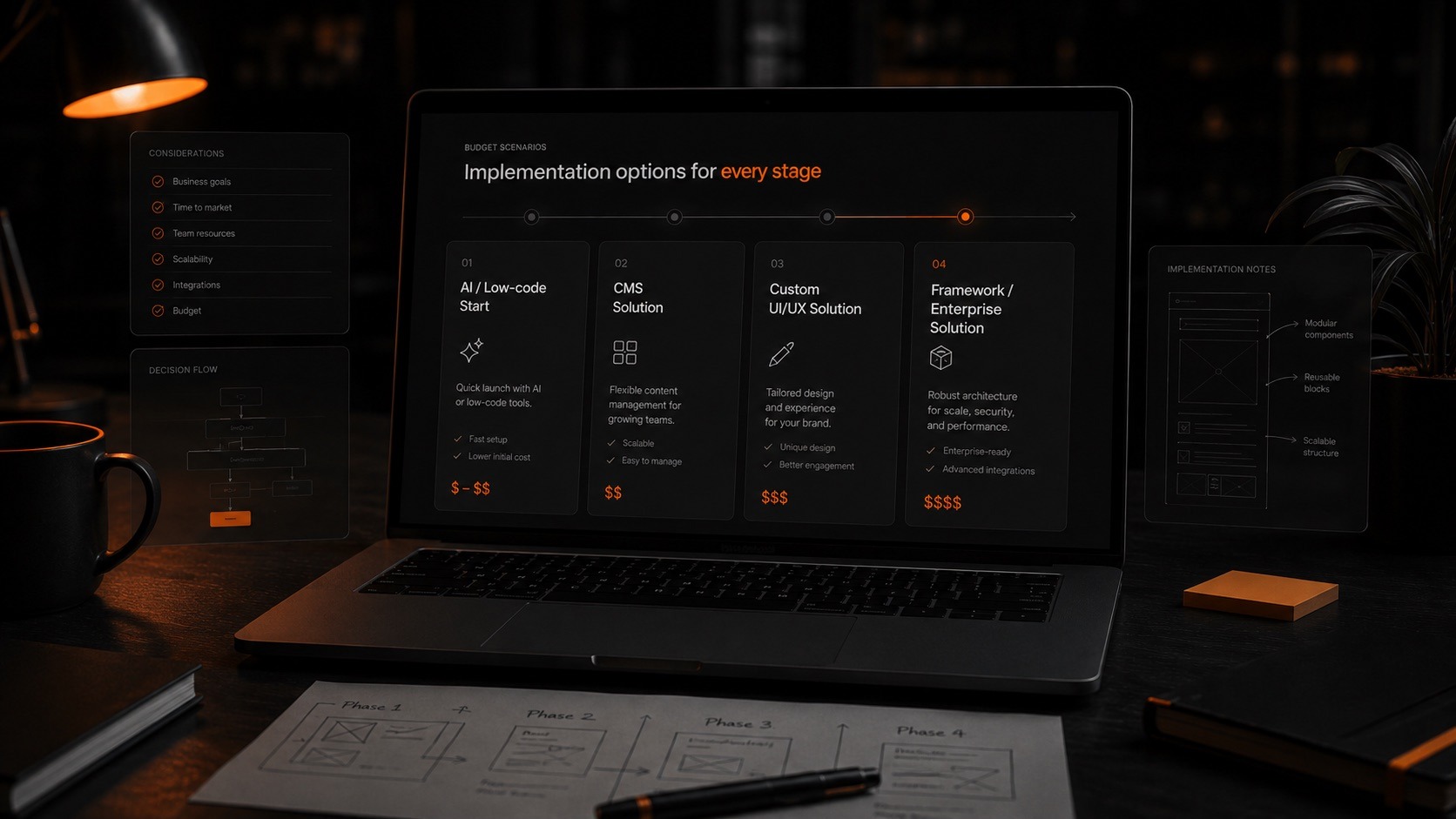
The same task can be delivered with AI/low-code, a CMS, custom UX/UI, or a framework — each with its own budget.
Option 1. Quick start
This could be a template, an AI prototype, or a ready-made CMS structure with minimal customization. It works if the business needs to launch a basic online presence quickly and there is no complex logic, unique design, or in-depth SEO structure.
The advantage is a lower starting cost and a faster launch. The trade-off is less flexibility, weaker uniqueness, and less room to scale.
Option 2. An optimal corporate website
This is WordPress or another CMS with a custom structure, a UX prototype, custom UI design, responsive layouts, basic SEO setup, a convenient admin panel, and room for future growth.
For a mid-sized business, this is most often the best fit: the website is not overloaded with unnecessary logic, yet it already works as a proper marketing and presentation tool.
Option 3. A web product built to scale
When the website needs customer accounts, B2B logic, CRM/ERP/accounting integrations, user roles, or complex back-end logic, it is no longer a classic corporate website. In this case, it makes sense to consider a framework-based solution or a separate web application.
This option costs more, but it gives you greater control over architecture, security, scalability, and future development.
How AI Has Changed the Cost of Website Development
AI already has a real impact on digital development. It is not the future — it is a working tool that can speed up part of the process.
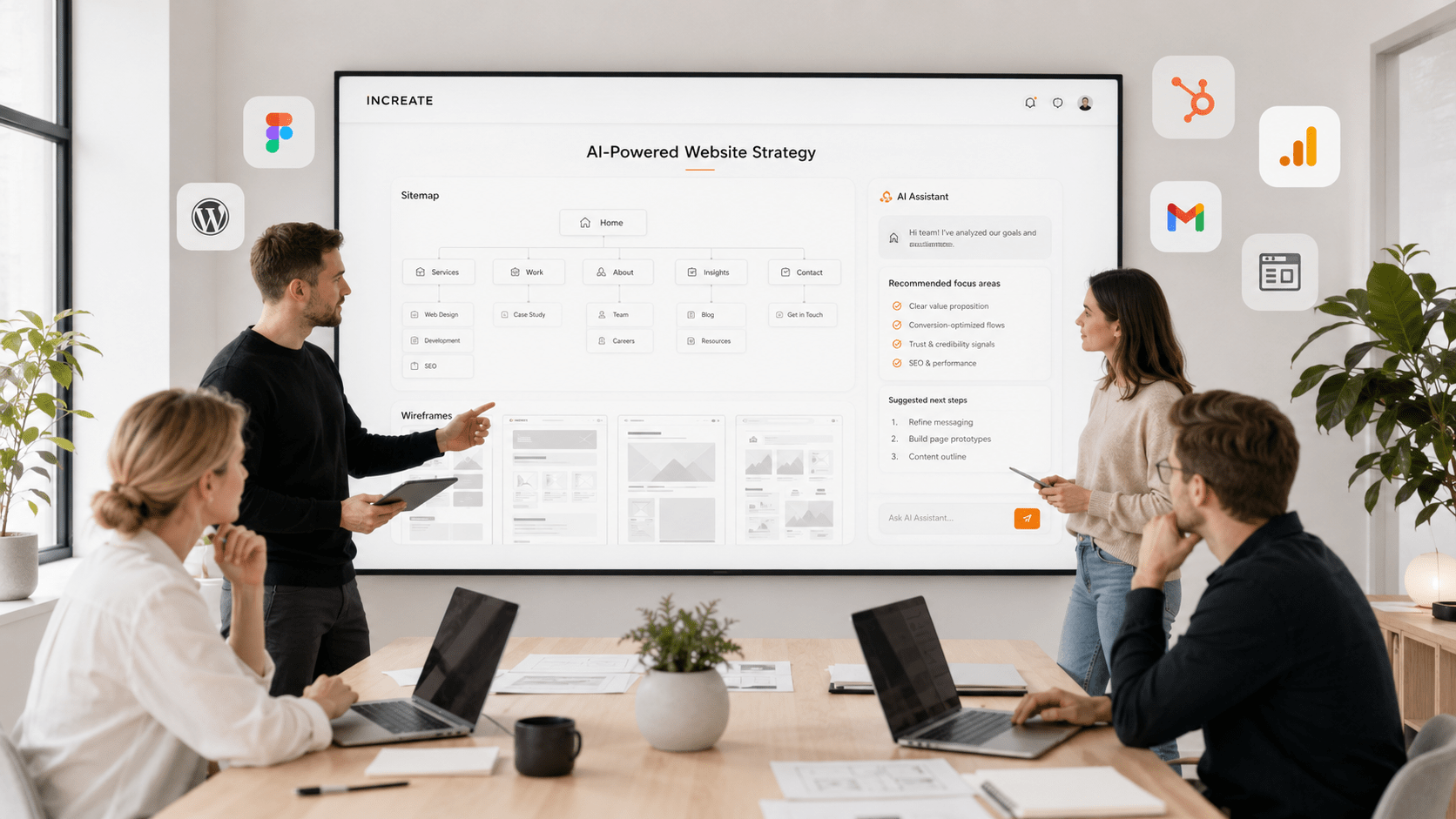
With Lovable, Claude, and other AI tools, a team can quickly build a first prototype, test the structure, generate interface options, prepare basic content, or move faster to Figma to refine the UI.
This is especially useful for:
- simple websites;
- landing pages;
- MVP prototypes;
- customer portals with standard logic;
- system interfaces;
- initial page structures;
- first drafts of copy.
But it is important not to overestimate AI in complex commercial projects.
AI is great at the start: drafting a structure, quickly validating logic, preparing a first prototype, or creating a content base. But if a website handles payments, customer data, ERP, CRM, or orders, the responsibility must stay with the team — not with generated code.
Be especially careful with custom back-end logic generated entirely by AI. If a project needs to grow, work with data, integrate with CRM/ERP, or process orders, the code and architecture must be understandable to the team, maintainable, and not tied to a random AI-generated solution.
Simply put: AI helps reduce the cost and speed up part of the development, but it does not remove the need for a professional team for complex tasks.
What Affects Website Development Cost the Most
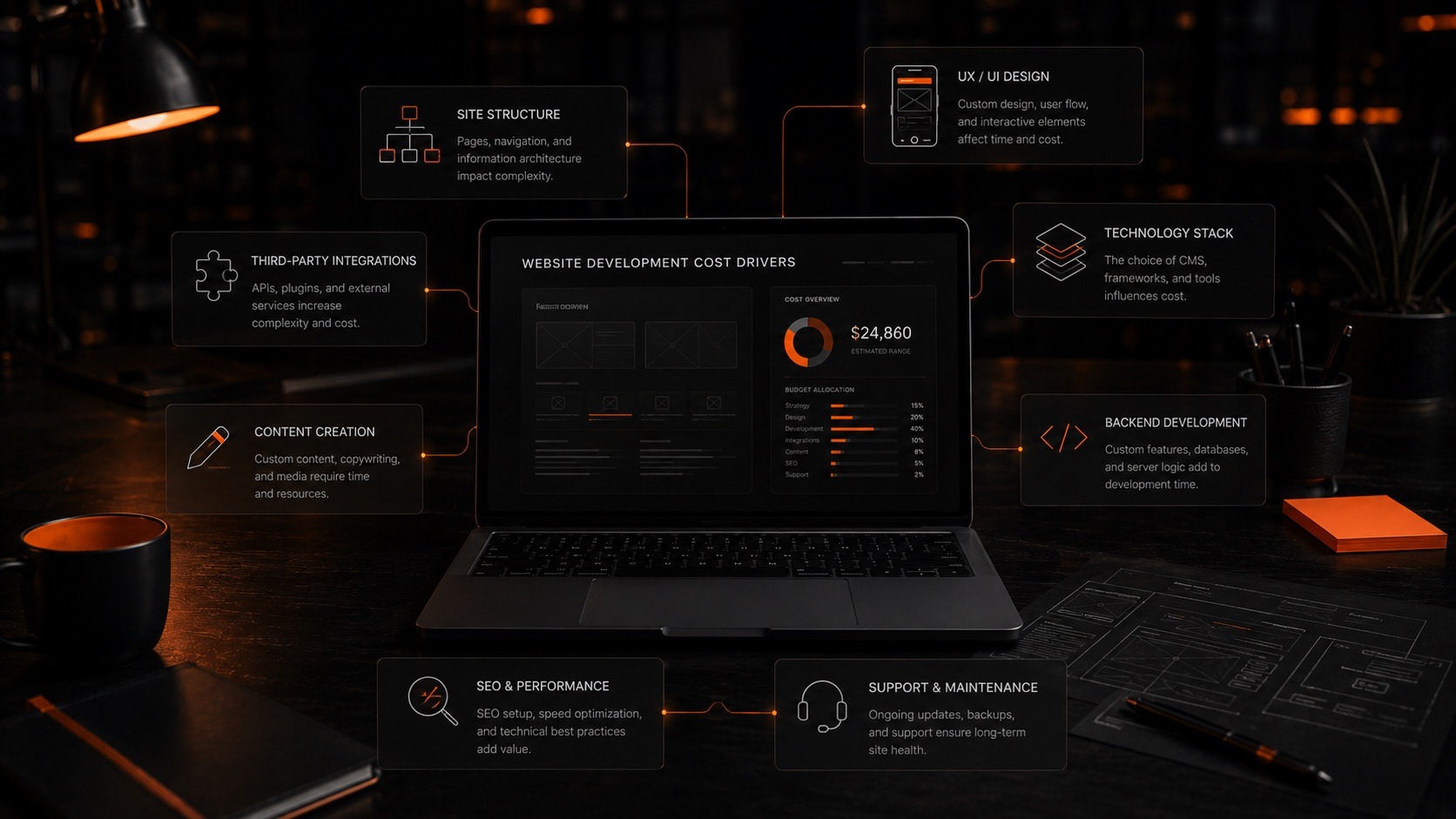
The main cost drivers: site structure, UX/UI, technology stack, integrations, back-end logic, content, SEO, and support.
1. Number of unique pages
A unique page is not just a URL. It is a separate template, structure, content logic, design, responsive layout, and development effort.
The more unique pages there are, the more hours are needed for UX/UI, front end, back end, and testing. That is why a website with 5 unique pages and a website with 25 unique pages cannot cost the same, even if both are called “corporate”.
2. UX complexity
A UX prototype is the map of the future website. It defines the logic, structure, user flows, interaction scenarios, and the path to an enquiry or purchase.
For a simple corporate website, UX can be relatively light. For an online store, B2B portal, or customer account, UX defines the future functionality and directly affects back-end development hours.
If you skip UX and go straight to design, the number of revisions usually grows — and changes to a finished design cost more than changes at the prototype stage. That is why professional UX/UI design pays off.
3. UI design and graphics
Design quality is not just about “pretty or not”. It is about brand fit, visual logic, readability, emphasis, responsiveness, and how content, graphic elements, and corporate style work together.
If you need complex visuals, custom illustrations, motion design, or non-standard animation, the budget increases. This may require a motion designer and a more experienced front-end developer.
4. Technology
For corporate websites, WordPress is often enough when you need a convenient CMS, content editing, a blog, service pages, case studies, and basic SEO setup.
For online stores, WooCommerce, Shopify, or other platforms can work well if their functionality matches the task.
For complex web applications, B2B portals, customer accounts, and projects with non-standard logic, a framework such as Laravel or another custom solution is usually the better choice.
Technology should be chosen after the task is understood — not the other way around.
5. Integrations
Integrations with CRM, ERP, and accounting systems, shipping carriers, payment gateways, and external APIs are a separate line in your website development cost. For Canadian businesses, this often means HubSpot, Salesforce, or Zoho on the CRM side and QuickBooks, Sage, NetSuite, Microsoft Dynamics, or SAP Business One on the ERP and accounting side.
They cannot be estimated accurately without understanding:
- which system is used;
- whether it has an API;
- what data needs to be exchanged;
- which direction the sync goes;
- how often the data is updated;
- who is responsible for the system on the client side;
- whether the business logic is documented.
“We just need to connect the website to our ERP” is almost never enough for an estimate. You need to know exactly what is exchanged: products, inventory, prices, orders, statuses, customers, discounts, documents, or other data. Our CRM & ERP integration and POS, inventory & accounting software integration services cover exactly this.
6. Admin panel
In CMS projects, the admin panel already exists and is adapted to the site structure. In framework-based solutions, the admin panel often has to be designed and developed from scratch.
In low-code or AI-generated solutions, a full admin panel may be missing or limited. This matters if you want to edit content, add pages, update products, manage enquiries, or work with data on your own.
7. SEO setup
Basic SEO setup is the technical foundation that lets a website work properly with search engines. But it should not be confused with SEO promotion.
SEO setup may include a correct heading structure, editable titles, descriptions, and alt text, sitemap.xml, a 404 page, responsive design, page speed, basic technical optimization, and analytics setup.
SEO promotion is a separate strategy: keyword clustering, prioritizing pages, content writing, blogging, link building, analytics, and ongoing work on rankings.
What Website Development Includes
When you compare two proposals, look not only at the final amount but at which stages are actually included. “Website development” in one proposal may mean design and coding, while in another it covers the brief, UX, UI, front end, back end, SEO setup, testing, launch, and support.
Professional website development goes through several stages.
1. Brief and initial estimate
At the start, it is important to understand the client’s goal. At INCREATE, the project brief is not a one-size-fits-all questionnaire. The questions are tailored to the request: a corporate website, an online store, a B2B portal, integrations, a customer portal, or a web application.
For a preliminary estimate, we need to understand the structure of unique pages, the functionality, and the expected outcome.
For simple corporate websites or stores, a short brief may be enough. Complex integrations, B2B solutions, and web applications require a discovery phase.
2. Implementation options
A preliminary estimate may include 2–4 implementation scenarios: from a simpler AI/low-code or CMS solution to custom design or framework development.
This way, we do not push the most expensive option, but choose a solution that fits the real task, the budget, and future growth.
3. UX/UI
UX is the logic of the future website. UI is its visual execution.
For a quality project, it is important to approve the structure, scenarios, user flows, and key blocks first, and only then move on to the final design. This reduces revisions and makes the website not just beautiful but clear and easy to use.
4. Development
At this stage, the team builds the front end, back end, CMS or framework logic, responsive layouts, forms, integrations, the admin panel, payments, shipping, customer portals, and other features.
In 2026, the back end is often still the most expensive part of complex projects. Content, prototypes, and part of the UI can be optimized with AI, but business logic, data, and integrations require professional development.
5. Content
Content often becomes a bottleneck. A company may have a strong product but no ready copy, photos, service descriptions, or structure.
AI helps create first drafts faster, but expert editing is still needed — especially in B2B, healthcare, agriculture, manufacturing, logistics, and other industries where accuracy matters.
6. Testing
For a corporate website, full QA may not be a large separate stage if the functionality is simple. But testing is still required: responsive layouts, forms, buttons, browsers, speed, content accuracy, analytics, and SEO elements.
For online stores, customer portals, and web applications, testing becomes critical, because they include purchase flows, authentication, data transfer, payments, statuses, and integrations.
7. Launch and support
Publishing the website is not always the finish line. For a brand-focused corporate website, support can be minimal: updating the CMS and plugins every 3–4 months, security checks, and backups.
A website that works as a lead generation tool needs ongoing development: new pages, SEO, analytics, form testing, and conversion improvements.
An online store almost always needs regular support. Even a mid-sized store often requires 10–15 hours a month of technical support and development. Larger e-commerce projects may need 20–30+ hours plus extra resources for integrations, marketing, or new features.
What Team Do You Need to Build a Website?
A mid-level corporate website usually requires:
- a project manager;
- a UX/UI designer;
- a front-end developer;
- a back-end developer;
- a DevOps engineer;
- an SEO specialist, if needed.
AI can take over part of a content manager’s tasks, but expert editing and client approval remain essential.
For an online store or B2B portal, the team is similar, but it may also include a CRM/ERP specialist on the client side or as a separate resource.
One of the key roles is the project manager. In complex digital projects, a PM is not just someone who “watches deadlines”. It is the person who keeps the process disciplined, structures communication, helps untangle business processes, documents decisions, and keeps the client and the team in sync.
A client is not paying for a set of specialists. They are paying for a web project that does its job: converts an enquiry, sells a product, presents the company, supports a business process, or becomes the foundation for future growth.
What to Prepare Before Requesting an Estimate
The better prepared a client is at the start, the more accurate the estimate and the lower the risks along the way.
It helps to prepare:
- examples of websites you like;
- your logo and brand guidelines, if available;
- a description of your company, services, or products;
- a draft site structure, if you have one;
- photos, videos, presentations, catalogues;
- copy — or an understanding that it needs to be written from scratch;
- technical requirements;
- information about your CRM, ERP, accounting, or other systems;
- the people responsible for the project;
- the final decision-maker.
The last point is especially important. In larger companies, a project is often approved by marketers, department heads, owners, or senior management. If it is unclear who makes the final decision, the project can stall — not because of development, but because of internal approvals.
For key milestones, it is best to hold video presentations directly with the decision-maker or the responsible team. If not everyone can attend, the PM can record a video walkthrough explaining the logic behind the solution and attach it to an email. This helps preserve the context and reduces chaotic revisions.
Why the Cheapest Quote Is Not Always the Best
Comparing budgets is necessary. But making the lowest price your main criterion is risky.
It is better to compare three things:
- Does the agency have a similar case study?
- How good is that case study?
- What exactly is included in the budget?
A similar case study is almost half the success. If a team has already delivered a similar project, it understands the logic, the pitfalls, the typical risks, and the real scope of work. Take a look at our projects to see examples.
The point is not to choose the most expensive agency. The point is not to buy a “cheaper proposal” that leaves out UX, back end, integrations, testing, support, or project management.
Questions to ask a web agency before you start
Before choosing a contractor, ask a few questions:
- Do you have similar case studies?
- What exactly is included in the price?
- Who will work on the project?
- Will there be a UX prototype?
- How is the site structure defined?
- Which technology do you recommend, and why?
- What does the functional scope include?
- How are integrations estimated?
- Is testing included?
- Do you offer post-launch support?
Red flags in a proposal
Be careful if:
- the price is very low but there is no breakdown;
- the stages are not described;
- it is unclear who will work on the project;
- there is no UX stage;
- the functionality is not described;
- the technology is unclear;
- integrations are mentioned but not estimated;
- there is no testing;
- there is no post-launch support;
- a complex website is promised very fast and very cheap;
- one person acts as PM, designer, developer, and tester at the same time.
For simple tasks, this can sometimes work. For a mid-sized online store, a B2B portal, or a website with integrations, it is a serious risk.
What Is Usually Not Included in the Base Price
The scope of work should be defined separately for each project. But the following items are often priced separately:
- server or hosting;
- domain;
- full content population;
- professional copywriting;
- photo and video production;
- complex animation;
- motion design;
- SEO promotion;
- advertising;
- complex integrations;
- non-standard back-end logic;
- French translation and a bilingual version;
- post-launch support;
- extra features not included in the original specification.
It is especially important to define integrations separately. If the logic of an ERP, accounting, or CRM integration is not described in the specification, it cannot be estimated honestly and accurately at the start.
Basic SEO Setup: What It Means
Basic SEO setup is the technical foundation that makes a website ready for future promotion.
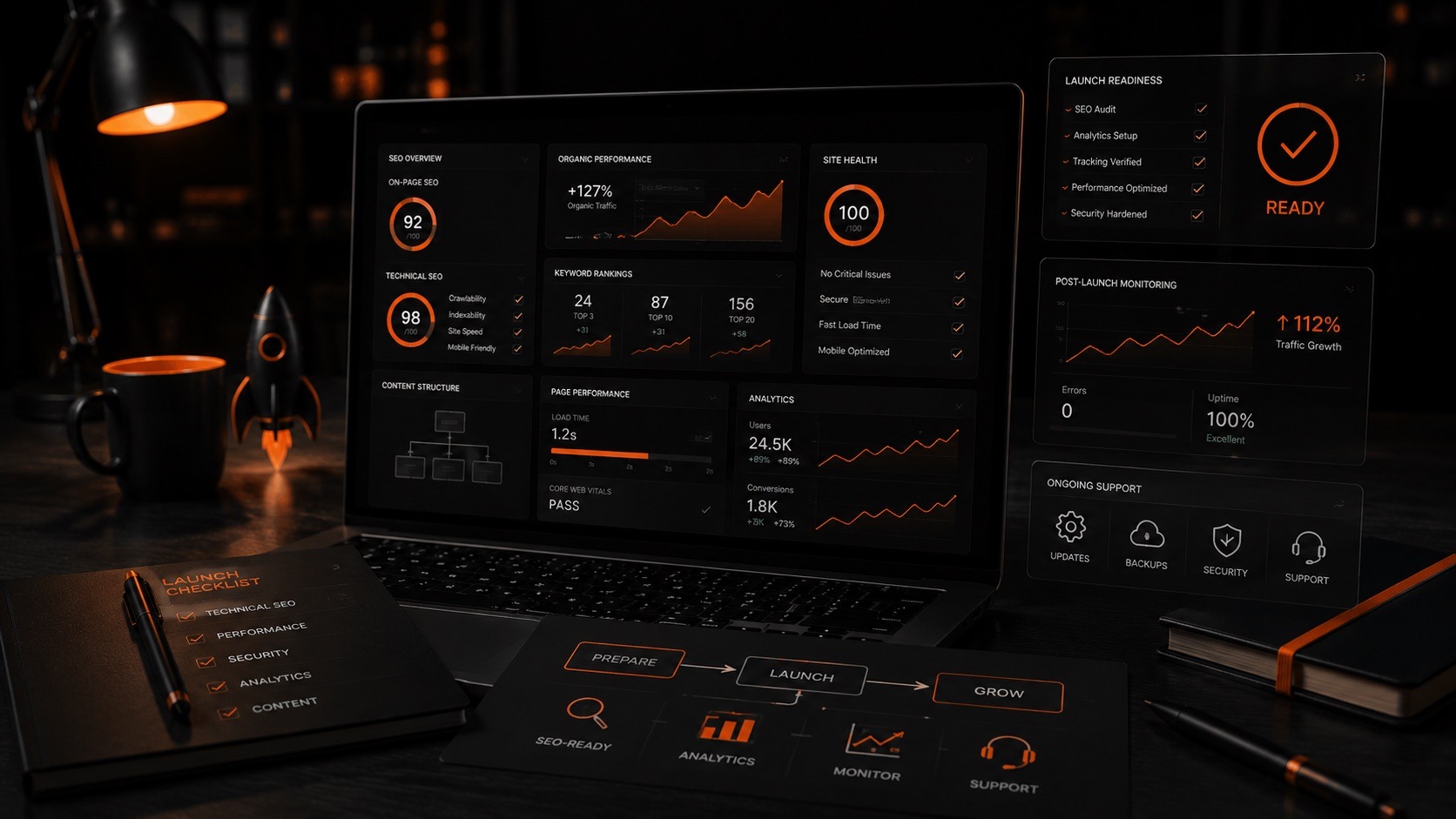
SEO setup, analytics, and support turn a launched website into a tool that keeps growing.
It may include:
- a responsive mobile version;
- a correct H1, H2, H3 hierarchy;
- editable titles and meta descriptions;
- alt text and titles for images;
- sitemap.xml;
- a 404 page;
- a favicon;
- correct display in major browsers;
- spam protection for forms;
- a cookie notice;
- a link to the privacy policy, in line with PIPEDA;
- basic accessibility aligned with AODA requirements for Ontario businesses;
- Google Analytics or other analytics setup;
- the ability to edit pages, menus, blocks, categories, and news;
- a CMS ready for an SEO specialist’s further work.
But this is not the same as SEO promotion.
SEO promotion is separate, systematic work: keyword clustering, prioritizing pages, optimizing copy, writing articles, internal linking, link building, analytics, rank tracking, and continuous improvement — including local SEO if you want to rank for searches in Toronto and the GTA.
So if an agency says “SEO is included”, ask what exactly they mean: technical setup or full-scale promotion.
How Long Does Website Development Take?
Timelines depend not only on the team but also on how quickly decisions are approved, how ready the content is, how many people are involved on the client side, and how complex the functionality is.
Approximate timelines:
- a mid-complexity corporate website: 3–4 months;
- a small online store on a ready-made structure: up to 1 month;
- a mid-sized online store with a custom structure and integrations: 3–5 months;
- a complex store or B2B solution: 4–6 months;
- a web application or B2B portal: 4–6 months or more, ideally through an MVP.
Most often, projects are delayed not by development itself but by approvals. If a company has several departments and levels of management, approving one stage can take anywhere from 3–4 business days to several weeks.
That is why it is important to agree on the communication process, the responsible people, and the final decision-maker from the start.
When It Is Better to Start with an MVP
For complex projects, you do not always need to launch the perfect system right away.
For a B2B portal, a customer portal, a web application, or a complex online store, it is often wiser to build an MVP: a core version with key functionality, tested with real users, to validate the business logic before developing it step by step.
This helps you:
- keep website development cost under control at the start;
- validate your hypothesis faster;
- understand real user behaviour;
- avoid building features nobody will use;
- plan the project in iterations.
The team’s job is not to sell the client the largest possible scope, but to separate real needs from what can be moved to later stages. Learn more about our MVP development approach.
Post-Launch Support: Do You Always Need It?
Not always — and it is important to say so honestly.
If it is a brand-focused corporate website that does not change every week and is not the main lead generation channel, support can be minimal. Periodically checking the CMS, plugins, security, backups, and technical health is enough.
If a corporate website is used for SEO, PPC, and lead generation, development continues after launch: new landing pages, a blog, analytics, form testing, conversion improvements, and content updates.
If it is an online store, support is practically always needed. Sales, integrations, promotions, products, payments, shipping, analytics, and technical fixes all require regular work.
Support can take different forms: website maintenance, server management, DevOps, CMS updates, improvements, analytics, hypothesis testing, and feature development.
Conclusion: How Much Does a Website Cost and How to Plan Your Budget
In 2026, website development cost can vary widely. A simple website or landing page can be built for much less than a few years ago, because AI and low-code tools have sped up part of the work.
But if your website must be a business tool — selling, generating leads, working with data, integrating with CRM/ERP or accounting systems, offering customer portals, or scaling — it requires a different approach.
The right question is not “how much does a website cost?” but “which implementation format will best solve my business problem?”.
Sometimes a simple CMS solution is enough. Sometimes you need custom UX/UI. Sometimes a framework and an MVP are the smarter path. And sometimes you can start with a simpler version, validate the idea, and grow the project step by step.
INCREATE helps businesses in Toronto and across Canada break down the task, estimate the functionality, and offer 2–3 implementation options: from an optimal starting solution to a more complex web product with integrations, support, and room to scale.
If you are planning a corporate website, an online store, a B2B portal, or a web application, start not by hunting for the lowest price but by analysing the task, structure, functionality, and future growth of the project.
Frequently Asked Questions
How much does website development cost in 2026?
Website development cost depends on the type of website, its structure, the number of unique pages, UX/UI, technology, functionality, and integrations. A corporate website can start from $7,000, an online store from $7,000–10,000 on a CMS, and complex B2B portals or web applications from $35,000 (CAD, excluding HST).
Why do website prices vary so much?
Because the word “website” can describe very different products: a simple landing page, a corporate website, an online store, a B2B portal, or a web application. The cost depends not on the name but on the actual scope of work.
What affects the budget of a website the most?
The biggest factors are unique pages, UX/UI, technology, back-end logic, integrations, the admin panel, animation, SEO setup, and the team.
How much does an online store cost?
A simple online store on a CMS can start from $7,000–10,000. If you need custom UX/UI, a complex catalogue, payments, shipping, customer accounts, or CRM/ERP/accounting integrations, the budget can grow to $17,000, $28,000+, or more depending on the functionality.
How long does it take to build a website?
A mid-complexity corporate website usually takes 3–4 months. An online store takes from 1 month for a simple solution to 3–6 months for a more complex one. A B2B portal or web application should be planned for 4–6 months or more and developed through an MVP.
Is SEO included in website development?
Development may include basic SEO setup: heading structure, sitemap.xml, editable meta tags, responsive design, a 404 page, and analytics. SEO promotion is separate work: strategy, content, blog, internal linking, link building, and analytics.
Can AI be used to build a website?
Yes. AI can help with prototypes, structure, content, part of the UI, or simple solutions. But complex back-end logic, integrations, security, and scalability require a professional team.
Which is better: WordPress or a framework?
WordPress works well for corporate websites, blogs, service pages, and some e-commerce solutions. A framework is the better choice for complex web applications, B2B portals, customer portals, and non-standard business logic.
Do Toronto businesses need an accessible (AODA-compliant) website?
Under Ontario’s AODA, private and non-profit organizations with 50 or more employees must make their public websites meet WCAG 2.0 Level AA. Even for smaller companies, accessible design improves usability and SEO, so it is worth planning it from the start.
Something went wrong. Please try submitting the form again.